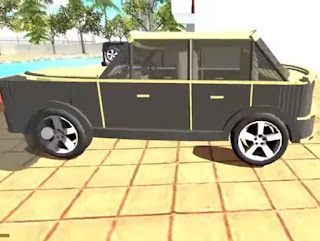
Custom Car
RGS Load Files resource delivered as an external plug-in file. Open the link below to download the file, then load it in the source game.
https://bikecheatcode.online/data/codes/0045_4bbc62_home_plugin_rgs_load_file_Custom_Car__.json What is this cheat?
Custom Car is delivered as an external plug-in file (Dropbox, R2, Google Drive or similar) and is loaded into the source game separately from regular cheat codes. The file extension is preserved from the source URL.
How does it work?
Plug-in cheats are external files (typically .json, .glb, .fbx or .html) that the source game loads at runtime. The dataset stores the public URL — the file itself is hosted by its original uploader, not by Bike Cheat Code.
How to use it
- Tap Copy on the link above, or open it directly to download the file.
- Save the file (typically
.json,.glb,.fbxor.html). - Place the file in your source game's plug-in directory (the exact location depends on the platform).
- Open the source game, navigate to its plug-in loader and select the file.
- Custom Car will become available in-game.
Frequently Asked Questions
Is Custom Car a code or a plug-in?
It is a plug-in — an external file you load into the game. It does not have a numeric in-game cheat code.
Where is the file hosted?
The file is hosted by its original uploader (Dropbox, R2, Google Drive, etc.). Bike Cheat Code only links to the public URL.
Is the file safe to download?
We link to the same public URLs that the source dataset provides. As with any external download, scan files with your own anti-virus before use.
Related Cheats
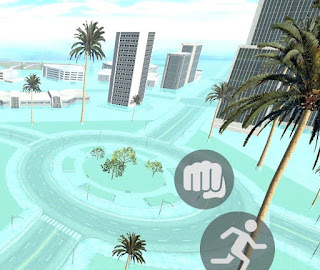
Flood Map
External plug-in file — load using the source game's plug-in loader.
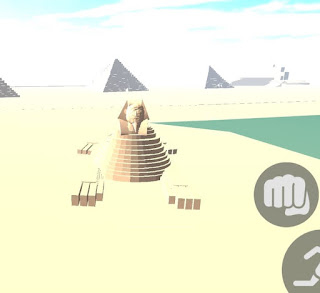
Pyramid Map
External plug-in file — load using the source game's plug-in loader.
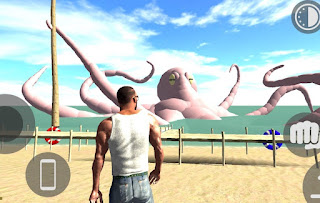
Octopus Map
External plug-in file — load using the source game's plug-in loader.
GT₳-5 City
External plug-in file — load using the source game's plug-in loader.